How to prepare your home internet for a blackout
to read 7 хв
When the power goes out, your apartment falls out of life in a matter of seconds. A work call is interrupted, a child misses a lesson, and movies freeze at the most interesting moment. Internet without electricity seems like something from science fiction. But in reality, it is a matter of preparation, and it is easier to solve than it may seem.
The provider, on its side, always remains online, while the problem appears inside the apartment. If the router and ONU turn off together with the electricity, the connection is interrupted. Below, we will explain how to make home internet work without power.
What is needed for internet to work without electricity
GPON is a technology where the provider brings an optical cable directly to an apartment or house and transmits light signals straight to you. With the help of an ONU terminal, the optical signal is converted into an electrical one. From it, a UTP cable goes to the router, and then Wi-Fi is distributed.
This technology does not require active equipment along the entire line. The backbone network of the Briz internet provider is connected to backup power and generators and works for 100+ hours. To make sure internet connection does not disappear when there is no electricity, you only need to:
- be connected via GPON;
- connect a UPS to the ONU and router on your side.
How to organize router connection without electricity?
Backup power for the router and ONU is the only working approach. If only one device works, the internet will still disappear. There are two main options here:
1. UPS - uninterruptible power supply
It works unnoticed: while there is electricity, it charges, and as soon as the power goes out, it automatically switches to the battery. You do not even notice it, the internet simply continues to work.
On the briz.ua website, in the “Equipment” section, there are ready-made UPS solutions for your scenarios, both for 4 hours and up to 15 hours of autonomous operation.
2. DC-USB adapter cable + Powerbank
There is a much simpler solution: a DC-USB adapter cable connects the router to a regular power bank. The step-up board is very important, as it transforms the voltage from the power bank’s 5V to the required 9V or 12V. Without it, the router and ONU simply will not start, as the voltage difference is critical.
A 10,000-20,000 mAh power bank will give you 4 to 6 hours of autonomy. We remind you that Briz internet provider offers ready-made cable options with both 9V and 12V voltage for the equipment you need.
Please note that there are many more ways to run internet equipment without electricity: portable power stations, separate batteries and inverters, or different boards and adapters. But if you assemble the solution yourself, carefully check the voltage ratings. A router or ONU that receives excessive voltage will simply burn out, and this will not be covered by warranty.
Common mistakes when providing backup power for a home network
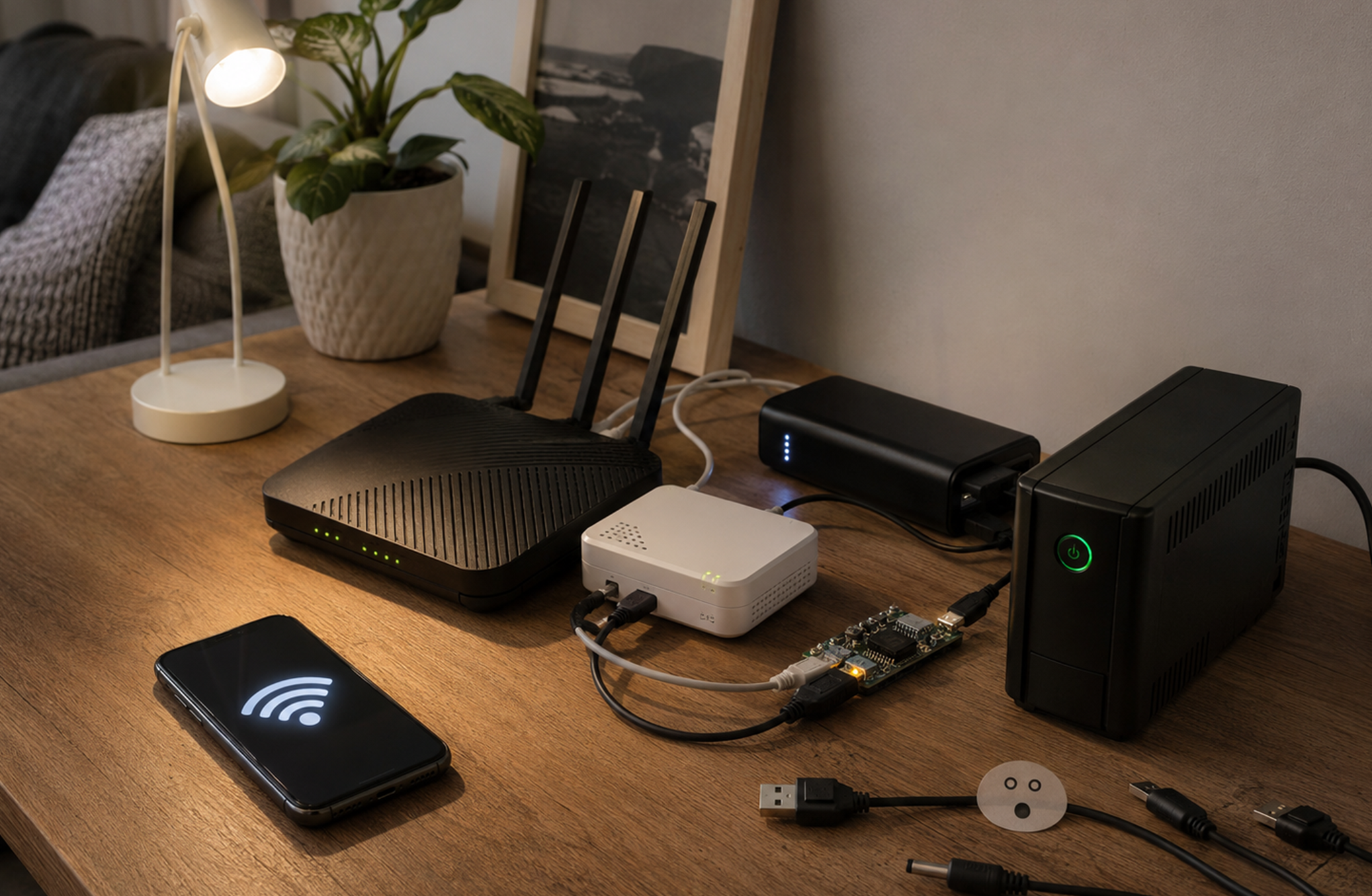
A regular USB cable without voltage conversion. USB provides 5V, while an ONU needs 12V 0.5A. The device either does not start or constantly reboots. That is why a cable with a step-up board is needed.
Voltage is too high. If you supply a device with a higher voltage than it is designed for, there is a risk of burning it out. Before connecting, check the label on the router and do not rely on universal or split cables.
Connecting only the router. Wi-Fi without electricity is available, the phone connects, but there is no internet. Without power, the ONU does not transmit the signal, and the router has nothing to distribute.
Incorrect plug or polarity. If the connector does not match, the equipment simply will not start. Check the plug type before buying a cable. For BRIZ ONU terminals, the standard connector is 5.5 x 2.1 mm.
Inaccurate autonomy calculation. Part of the energy is lost during voltage conversion. The real operating time is always lower than the calculated one. Keep a 20-30% reserve.
Frequently asked questions
Will Wi-Fi work without electricity?
Wi-Fi works if the router and ONU have power and if the provider’s network is also active.
How long can a router work from a UPS?
The operating time depends on the capacity of the UPS, power bank, or battery, as well as the equipment’s power consumption.
How to properly connect a router and ONU without electricity?
Each device is connected separately to a UPS or another power source with the correct voltage.
What is better for backup power: a UPS or a power bank?
A UPS is convenient and stable for continuous operation, while with a power bank you will need to switch cables each time.
Home internet without electricity: the main point in brief
When electricity disappears, the internet does not break, it simply loses power together with the equipment in the apartment. If the router and ONU remain powered, home internet without electricity works just as before.
The whole difference is in a properly selected UPS or power bank with the correct cable.
If you are thinking about connection or want to assemble a backup power system - connect GPON home internet and check the available equipment options on Briz.ua. Prepare once, and internet without electricity will no longer be a problem.
Be the first to comment