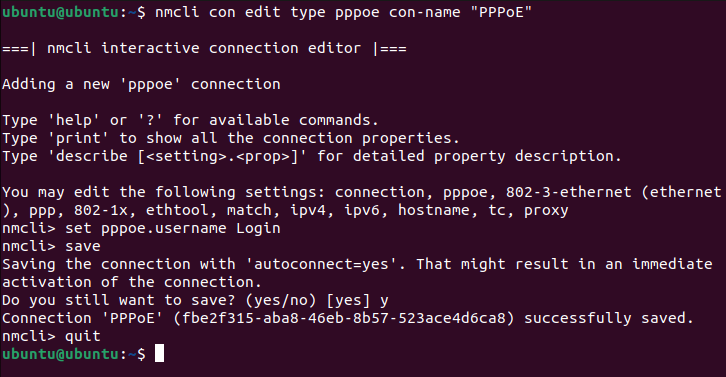
1. First you need to open a terminal and enter the command:
nmcli con edit type pppoe con-name "PPPoE"
An interactive mode will appear, enter the following line:
set pppoe.username Login
Instead of Login - we indicate the username specified in the contract.
Then we execute in turn:
save
quit
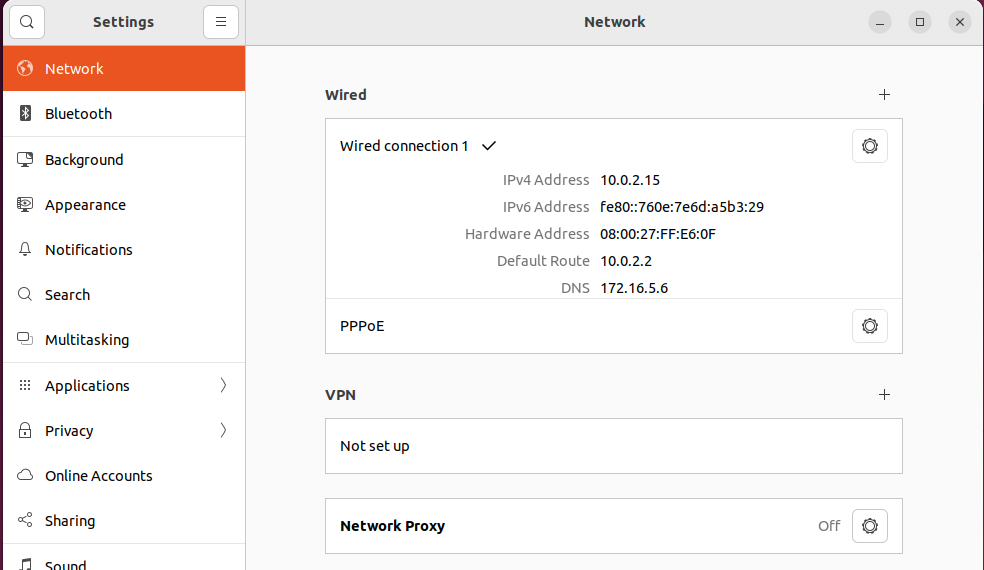
2. Go to the "Options" — "Network" menu. In the PPPoE connection, press the gear.
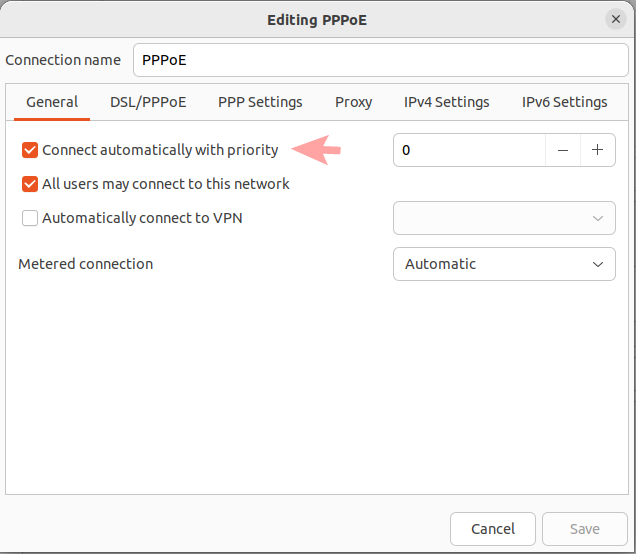
3. In the "General" tab, check the "Connect automatically with priority".
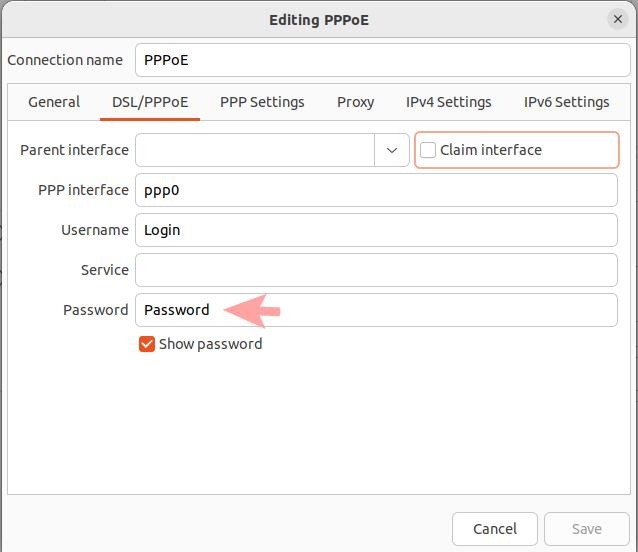
4. In the "Password" field, enter the password from the agreement.
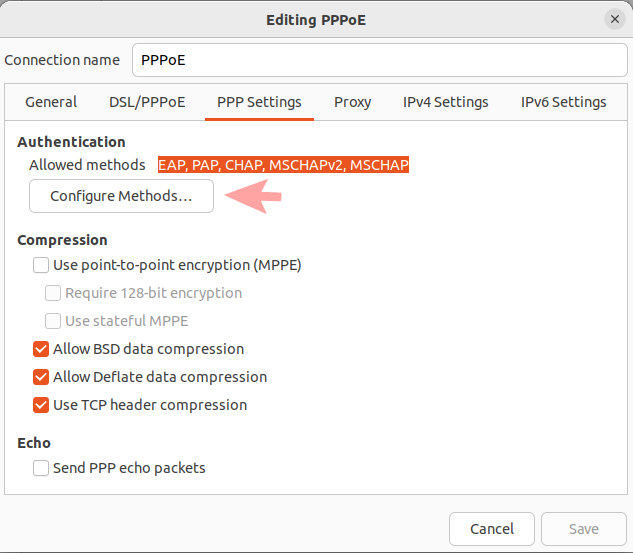
5. Next, go to the "PPP Settings" tab. Click the "Configure Methods..." button.
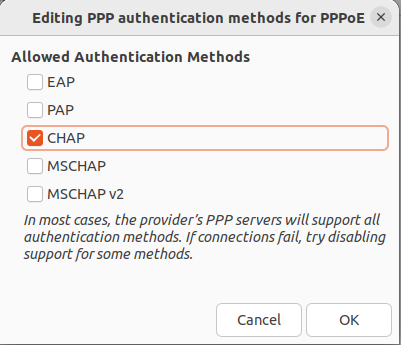
6. In the window that appears, uncheck all the boxes except "CHAP". Click the "OK" button.
7. Next, go to the "IPv4 Settings" tab. In the "Method" option, select "Automatic (PPPoE)".
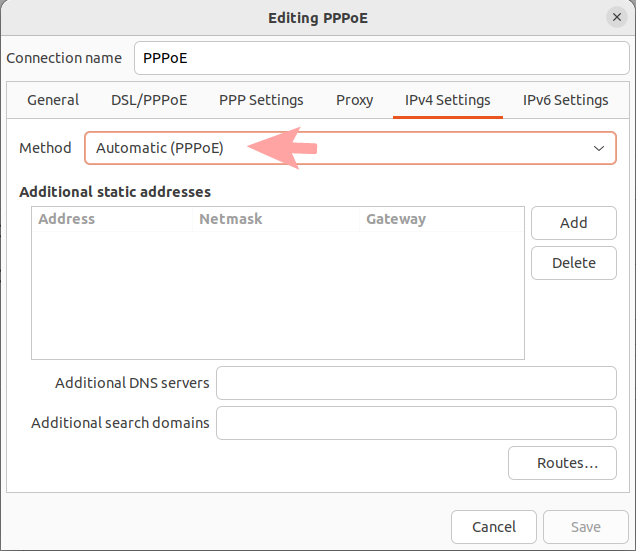
8. We save the changes by clicking the "Save" button.
If you have changed the equipment where the Internet cable was connected, you must tell the support operator the MAC address of the new device. You can also change the MAC address in your personal account.