
Setting up the router TP-LINK


Assistant from «BRIZ» in Telegram
- View your account information;
- Register your device's MAC address yourself.
FAQ about setting up a TP-Link router
1
Reconfiguring your TP-Link router
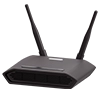
To make adjustments to the operation of the router, you must enter its settings. Enter 192.168.0.1 in the address bar of your browser. In the "Username" and "Password" lines, enter the word admin. Then do the reconfiguration and click the "Save" button.
2
How to set up a TP-Link router for BRIZ.TV?
To set up BRIZ.TV, you need to apply the settings for connecting the TV. Instructions for connecting IPTV to Samsung, LG TVs, as well as Android set-top boxes can be found in the "Help" section.